Find the Series and case size of your Apple Watch in under a minute
We price Apple Watch screen and battery repairs by Series and case size, so it helps to know both. Read the engraving on the sensor side of the watch, or check the Watch app on your paired iPhone.
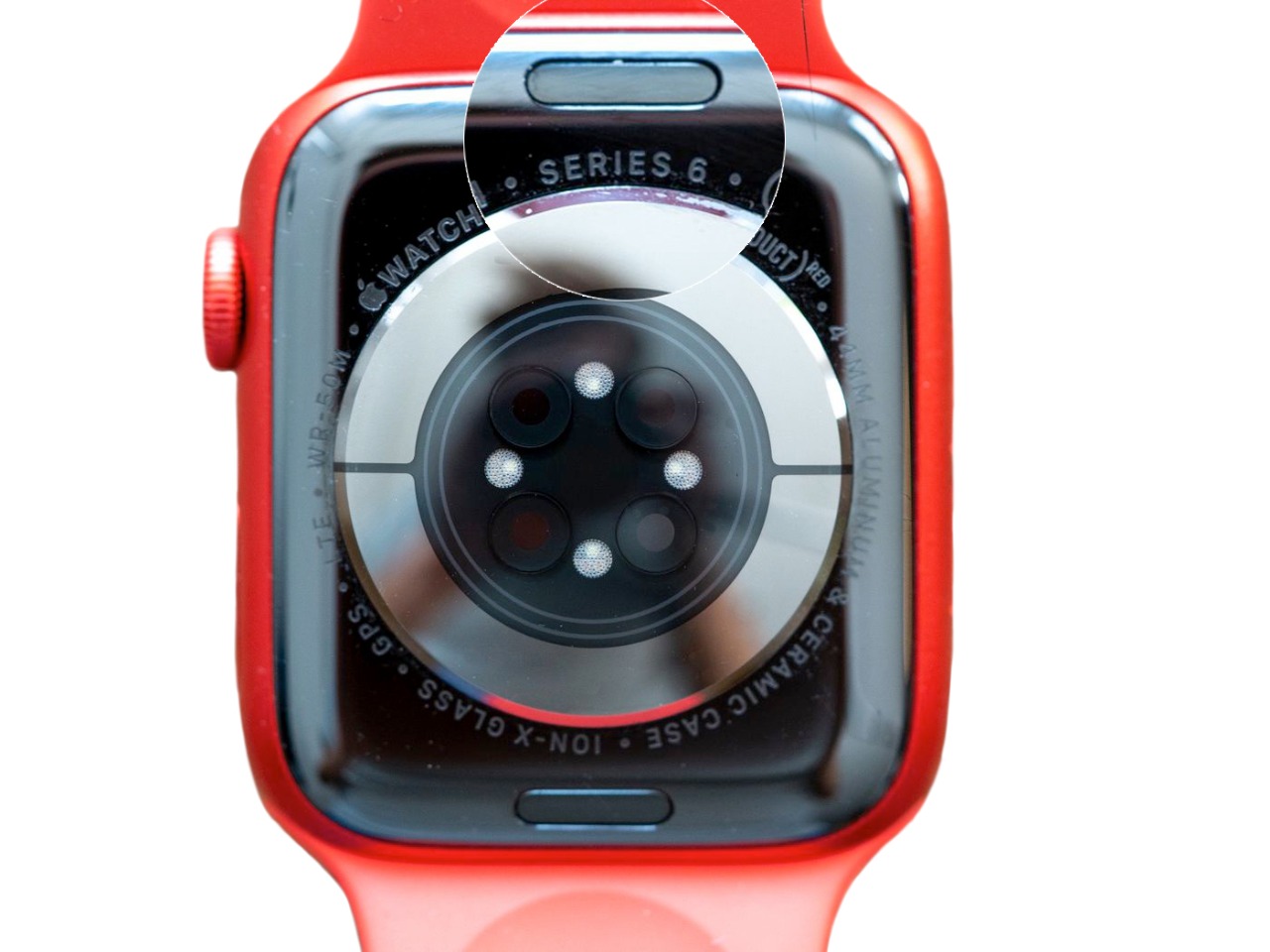
Method 1: Read the engraving on the back of the watch
- Take the watch off and turn it over so the round sensor faces you.
- The text etched around the sensor names the Series (for example Series 7) and the case size in millimetres, such as 41mm or 45mm.
- A Series 1 is the exception: its back carries only the Apple logo and the word WATCH, with no Series number.
Method 2: Look it up in the Watch app on your iPhone
- On the iPhone paired with the watch, open the Watch app and stay on the My Watch tab.
- Tap General, then About.
- The Model line shows a part number that starts with M.
- Tap that number once and it changes to an A plus four digits, such as A1803. Use that code with the table below.
| Model Name |
Model Number |
| Apple Watch S1 |
A1802, A1803, A1553, A1554 |
| Apple Watch S2 |
A1757, A1758, A1816, A1817 |
| Apple Watch S3 |
A1858, A1859, A1860, A1861, A1889, A1891, A1890, A1892 |
| Apple Watch S4 |
A1977, A1978, A1975, A1976, A2007, A2008 |
| Apple Watch S5 / SE |
A2092, A2093, A2156, A2157, A2094, A2095, A2092, A2093, A2351, A2352, A2353, A2354, A2355, A2356 |
| Apple Watch S6 |
A2291, A2292, A2293, A2294, A2375, A2376 |
| Apple Watch S7 |
A2473, A2474, A2475, A2476, A2477, A2478 |
| Apple Watch S8 |
A2773, A2775, A2772, A2774, A2857, A2858 |
| Apple Watch SE 2 |
A2722, A2723, A2724, A2725, A2726, A2727 |
| Apple Watch Ultra |
A2622, A2684, A2859 |