Pin down your exact MacBook before you book a repair
MacBook parts change from one year to the next, so we need the exact model to quote a screen, keyboard or battery. Read it from macOS in seconds, or from the A-number printed under the laptop.
Method 1: Use About This Mac
- Click the Apple logo at the far left of the menu bar.
- Select About This Mac.
- The window names your Mac and its year, e.g. MacBook Air 13-inch, M2, 2022.
- Need the model identifier too? Click More Info, scroll down and open System Report; you will find it under Hardware Overview.
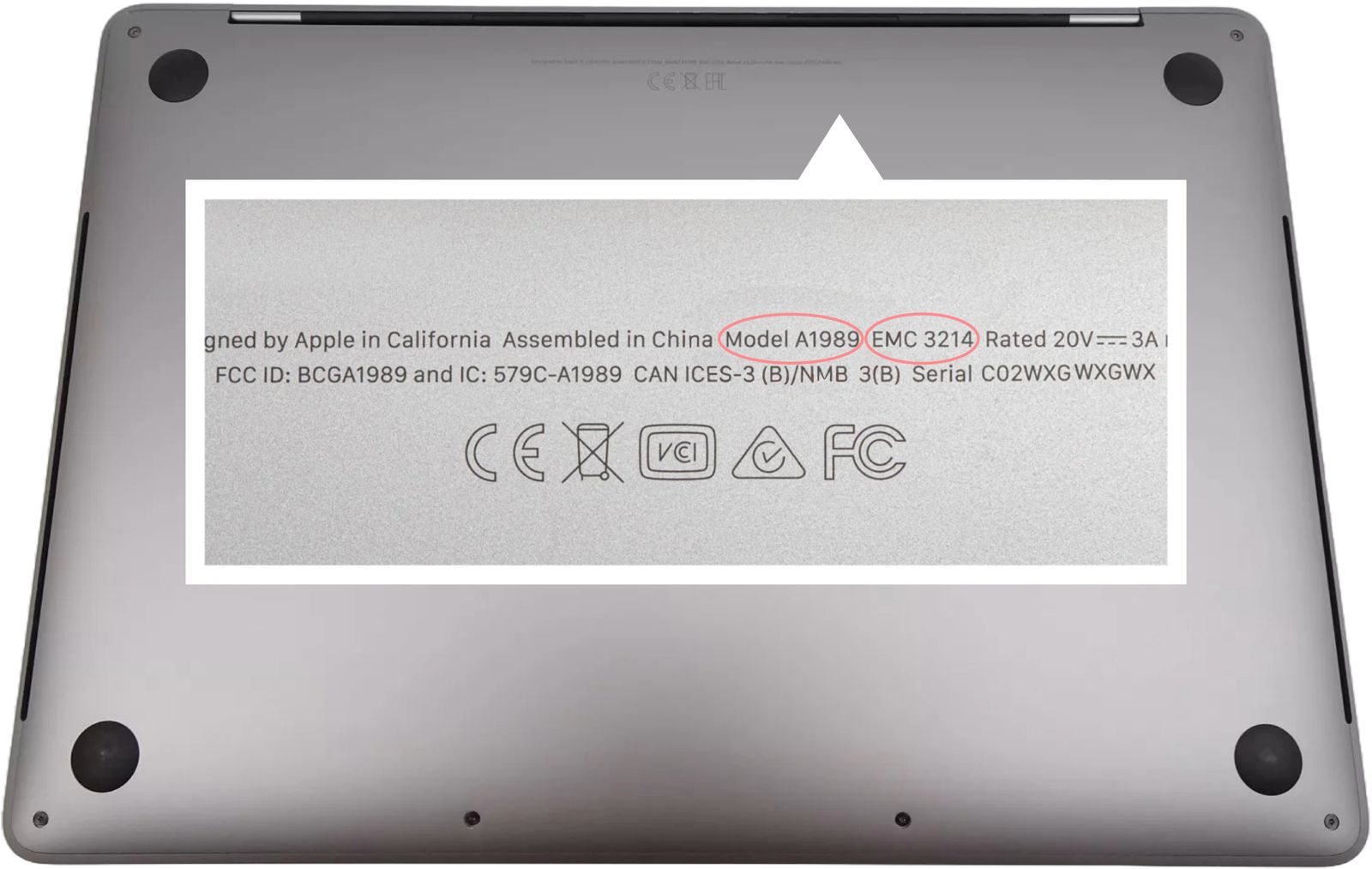
Method 2: Find the A-number underneath
- Shut the lid and flip the MacBook over onto a soft surface.
- Look along the edge nearest the hinge for a line of tiny regulatory text containing Model A plus four digits, e.g. A2681.
- Compare that number with the list below.
- Text rubbed off? Go back to Method 1, or give us the serial number when you book and our technicians will identify the model.
| Model Name |
Model Number |
| MacBook Air 13-inch |
A1466, A1932, A2179, A2337, A2681, A3113 |
| MacBook Air 15-inch |
A2941, A3114 |
| MacBook Pro 13-inch |
A1502, A1708, A1706, A1989, A2159, A2251, A2289, A2338 |
| MacBook Pro 14-inch |
A2442, A2779, A2918, A2992, A3401, A3185, A3426, A3427 |
| MacBook Pro 16-inch |
A2141, A2485, A2780, A2991, A3403, A3186, A3428, A3429 |
| MacBook 12-inch |
A1534 |
| MacBook Neo 13-inch |
A3404 |